Data Sources
Webpages
Crawl your website to train the agent automatically.
Webpages is the fastest way to train your agent — point it at your site and Concie crawls and indexes the content.
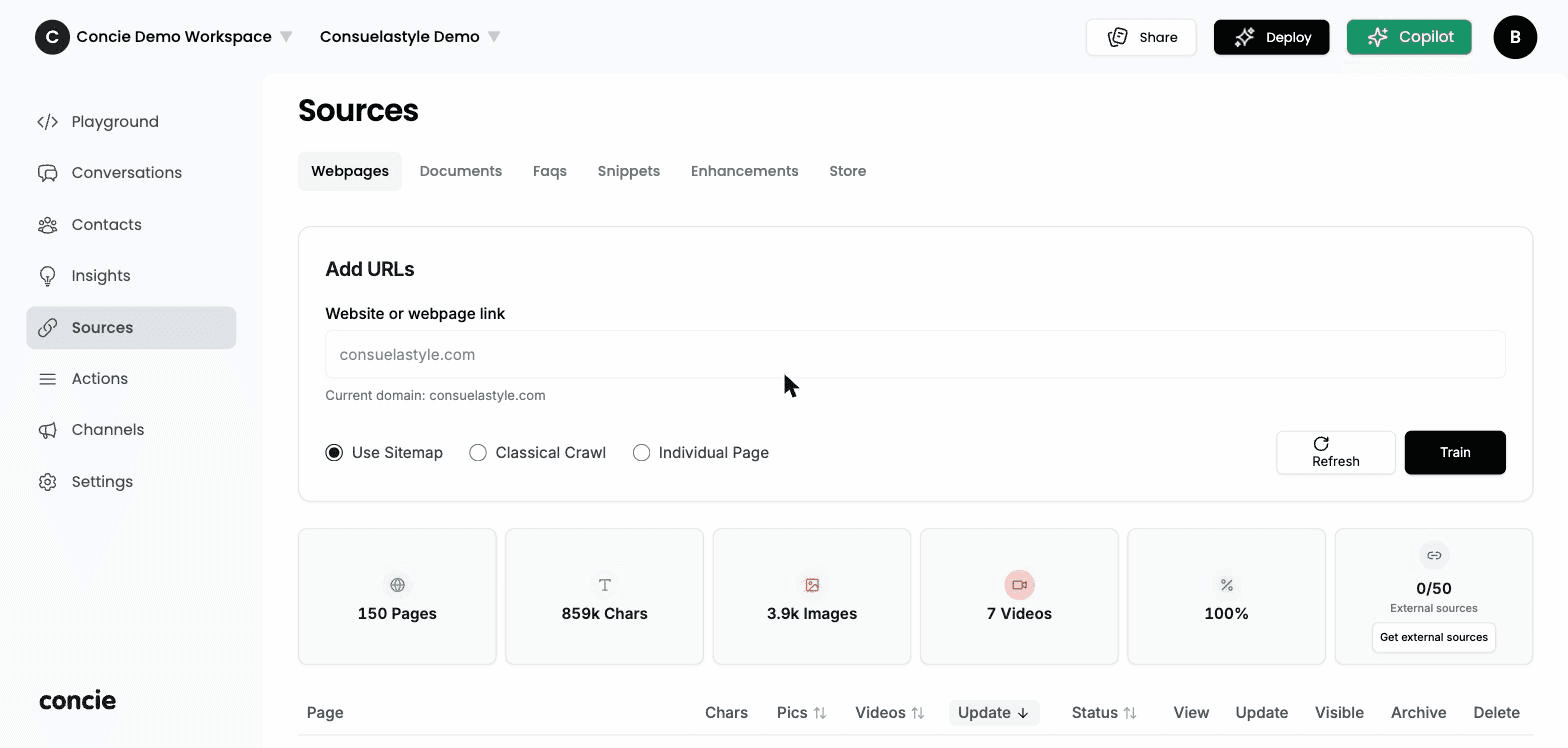
Add a website
Paste a website or webpage link, then choose how to crawl:
- Use Sitemap — crawl everything in your sitemap. Best for a whole site.
- Classical Crawl — follow links starting from the page you give.
- Individual Page — ingest just one URL.
Then:
- Train — process the source into the agent.
- Refresh — re-check the source for changes.
What got ingested
The stats cards summarize the crawl: Pages, Chars, Images, Videos, the completion %, and External sources (with Get external sources to pull in more).
Manage crawled pages
Below the stats, a table lists every page, each with row actions:
| Action | What it does |
|---|---|
| View | Open the page's extracted content |
| Update | Re-crawl that page |
| Visible | Include or exclude the page from answers |
| Archive | Set it aside without deleting |
| Delete | Remove it from the source |
Prune irrelevant pages (legal boilerplate, duplicates) — fewer, higher-quality pages beat a large noisy pile. Re-crawl after your site changes; the agent reflects the last crawl.