Quick Start
Build and deploy your first Concie agent in minutes.
Concie lets you build an AI agent trained on your own business data — your website, documents, and FAQs — then deploy it to your website, social channels, email, and storefront. This guide takes you from zero to a working agent.
Before you start
You need two things:
- A Concie account
- Your business website URL
That's it. Concie trains your agent automatically from your site — no manual setup of answers required to get started.
Build your first agent
Create a workspace
A workspace groups your agents, team, and settings in one place. When you first sign in, name your workspace after your business.
Set up your agent
Give your agent a name, choose its type (for example, Sales or Support), paste your business website URL, and write a short description of its role.
Let Concie train it
Concie crawls your website and trains your agent on its content automatically. This runs in the background and takes a few minutes for most sites.
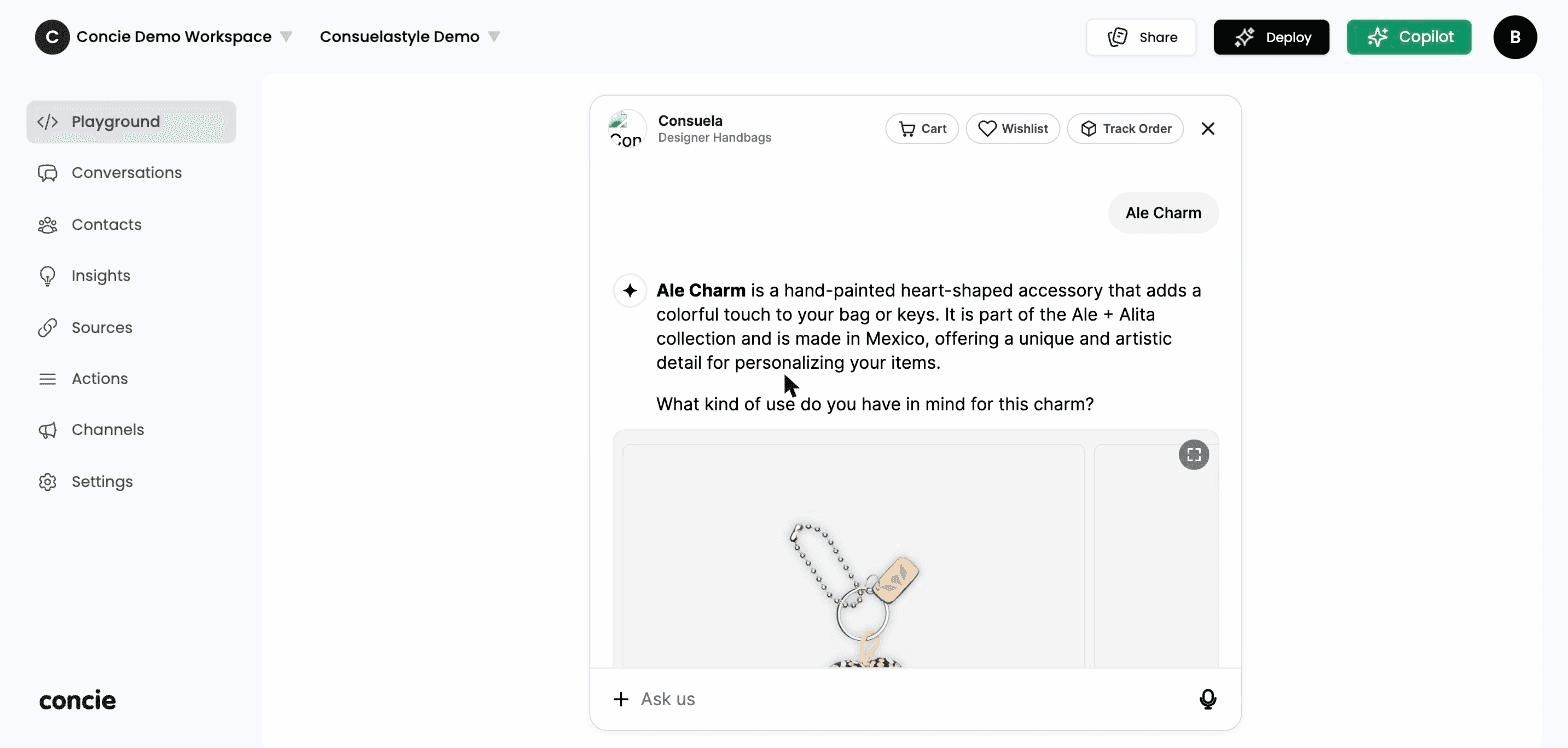
Test it in the Playground
Open Playground from the sidebar and chat with your agent. Ask the questions your customers ask. If an answer is off, you'll fix it by improving your sources or instructions — covered next.
Deploy it
Open Channels and connect where your agent should appear — your Website widget, a Landing page, Social (Instagram, Messenger, WhatsApp), or your Store (Shopify, WooCommerce). Copy the embed snippet or connect the channel, and your agent is live.
For WooCommerce, there are two ways in — pick whichever matches your setup:
Install from your Concie dashboard — download a pre-configured plugin, already linked to your agent.
Install directly from WooCommerce / WordPress.org — then connect your agent from the plugin's settings page.
Next steps
Now that your agent is live, make it better:
Build your first agent
Configure your agent's name, type, role, and behavior in depth.
Add data sources
Train your agent on webpages, documents, FAQs, and snippets.
Set up actions
Let your agent do things — manage the cart, connect shoppers to your team, collect contacts.
Deploy to channels
Put your agent on your website, social, email, and storefront.