Data Sources
Data Sources
Train your agent on webpages, documents, FAQs, snippets, enhancements, and your store.
Your agent is only as good as what it's trained on. Sources is where you add and manage that knowledge. It has six tabs across the top, each a different kind of content. Add a source, train, then test — repeat until the answers are right.
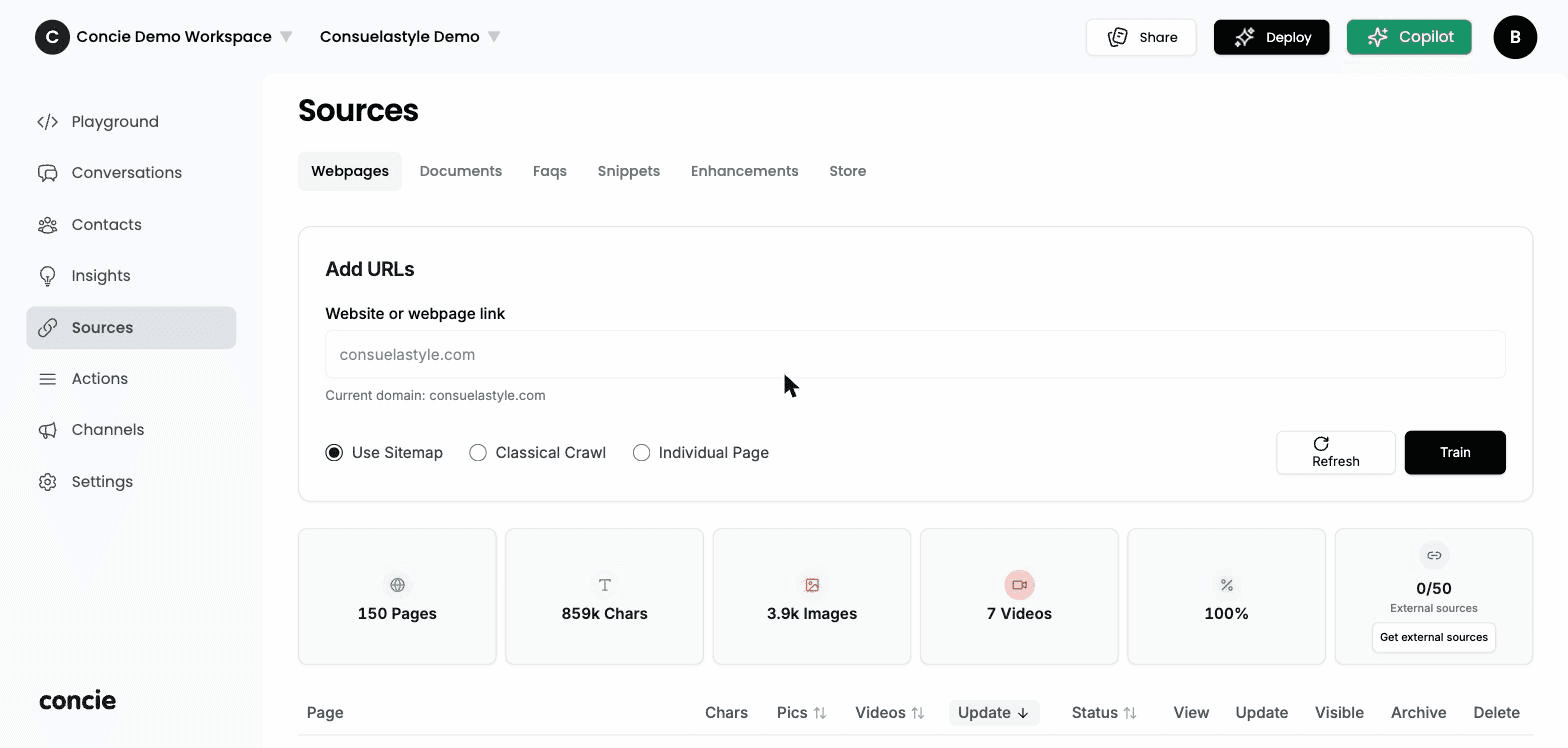
The six source types
Webpages
Crawl your site automatically — the fastest way to train.
Documents
Upload files — policies, manuals, spec sheets, catalogs.
FAQs
Question-and-answer pairs in your customers' exact phrasing.
Snippets
Short pieces of text the agent should always know.
Enhancements
Curated answers that refine the agent's responses.
Store
Connect a product catalog so it can answer about products.
The workflow
Every source type follows the same loop:
- Add the source (paste a URL, upload a file, write a pair).
- Train — Concie processes it into the agent. Larger sites and catalogs take longer.
- Verify in the Playground by asking questions that depend on it.
- Prune anything irrelevant (legal boilerplate, duplicates) so it doesn't dilute answers.
If an answer is wrong, fix the source — don't patch it with an instruction. Instructions shape behavior; sources are the facts. Re-crawl after your site changes, since the agent reflects the last crawl.