Data Sources
Store
Connect a product catalog so your agent can answer about products.
The Store source connects your product catalog so the agent can answer product questions — availability, details, collections — and surface product cards in chat.
What's connected
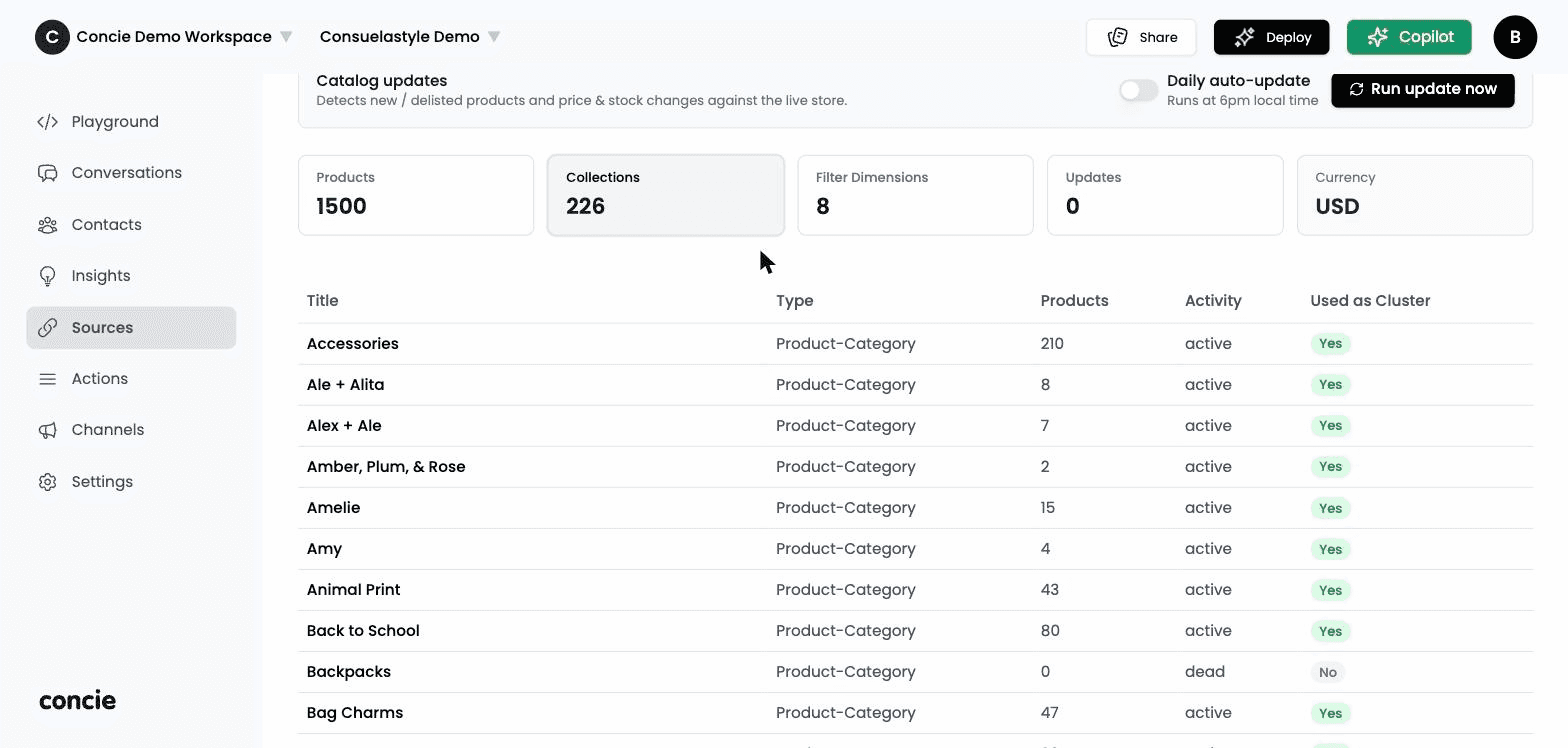
Once a store is connected, the tab shows your catalog at a glance: Products, Collections, Filter Dimensions, Updates, and Currency. Below that, a table lists your collections with their Type, Products count, Activity (active / dead), and whether each is Used as Cluster for browsing.
Keep the catalog fresh
Catalog updates detects new and delisted products and price & stock changes against your live store:
- Daily auto-update — runs automatically (at 6pm local time).
- Run update now — sync immediately.
Connecting a store as a source trains the agent on your catalog. To also run the agent inside your storefront, connect the store as a channel — see Deploy.
Related
- Deploy → Stores · Actions (Manage Cart)