Data Sources
Documents
Upload files — policies, manuals, spec sheets, catalogs — for the agent to learn from.
Upload files you want the agent trained on — product catalogs, specifications, price lists, guides, and policies.
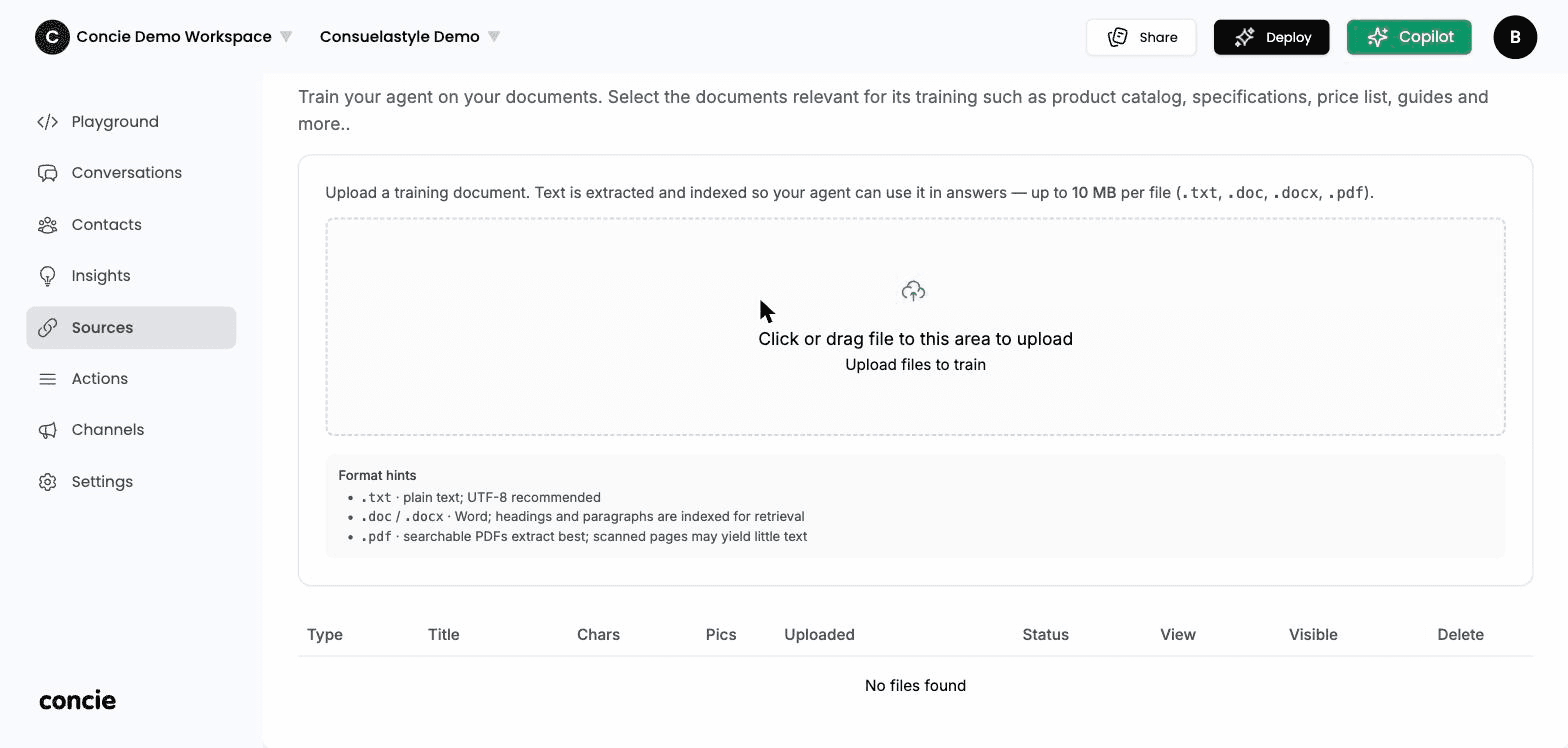
Upload a file
Click or drag a file into the upload area, then upload to train. Concie extracts the text and indexes it so the agent can use it in answers.
Supported types (up to 10 MB per file):
| Format | Notes |
|---|---|
| .txt | Plain text; UTF-8 recommended |
| .doc / .docx | Word; headings and paragraphs are indexed for retrieval |
| Searchable PDFs extract best; scanned pages may yield little text |
Scanned/image-only PDFs have no selectable text, so little gets indexed. Use a text-based export where possible.
Manage uploaded files
Each uploaded file appears in the table below with its Type, Title, Chars, Pics, upload time, and Status, plus actions to View the extracted content, toggle Visible, or Delete it.